
How to Fix Cursor's "Model Not Available in Your Region" Error (ClashX Pro Fix)
I'm writing this in crisis mode because Cursor just locked me out. Every time I tried to use Claude, I got this infuriating error:
Model not available
This model provider doesn't serve your region.
Visit https://docs.cursor.com/account/regions for more information.
I'm Canadian using a VPN, but Cursor still blocked me. If you're facing this (whether traveling, working abroad, or just unlucky with region detection), here's the deal: some apps completely bypass your system proxy settings.
Cursor is one of these sneaky applications — just like Telegram, which randomly stops working unless you force all traffic through your tunnel.
Here's exactly how I fixed it.
Step 1: Download ClashX Pro (Not Just Regular ClashX)
You need ClashX Pro, not the regular version. Here's where to get it:
- ClashX Pro - What you need
- Backup link - If the main site is down
- Regular ClashX - Don't use this one
Sometimes the site is in Chinese or down entirely — don't panic. I downloaded it without issues.
Why Pro? Regular ClashX lets apps bypass your proxy. Pro has Enhanced Mode (TUN mode) that forces everything through your VPN tunnel. No exceptions.
Step 2: Add Domain Rules & Enable Debug Mode
First, let's make sure your config actually works. Add these rules to your config.yaml file:
Domain rules:
  - DOMAIN-SUFFIX,cursor.sh,🔰国外流量
  - DOMAIN-SUFFIX,cursor.com,🔰国外流量
  - DOMAIN-SUFFIX,openai.com,🔰国外流量
  - DOMAIN-SUFFIX,oaistatic.com,🔰国外流量
  - DOMAIN-SUFFIX,oaiusercontent.com,🔰国外流量
  - DOMAIN-SUFFIX,ai.com,🔰国外流量
  - DOMAIN-SUFFIX,anthropic.com,🔰国外流量
Debug logging:
log-level: debug
Debug mode lets you see what's happening in real-time instead of flying blind with silent mode.
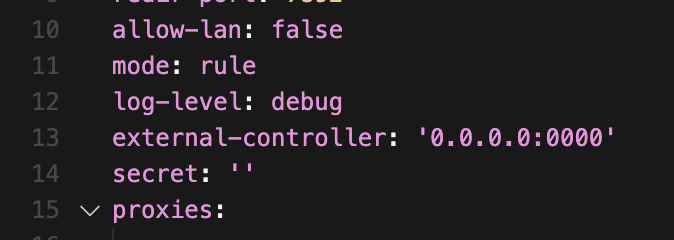
⚠️ Don't copy my external-controller setup in the screenshot — that's custom. The important part is flipping to debug mode and adding the domain rules.
This alone might solve your issue, but if Cursor is still being stubborn, continue to Step 3.
Step 3: Enable Enhanced (TUN) Mode
Here's the nuclear option. In ClashX Pro, toggle Enhanced Mode on.
Regular proxy mode asks apps nicely to use your VPN. Enhanced Mode builds a wall around your entire connection and forces everything through the tunnel.
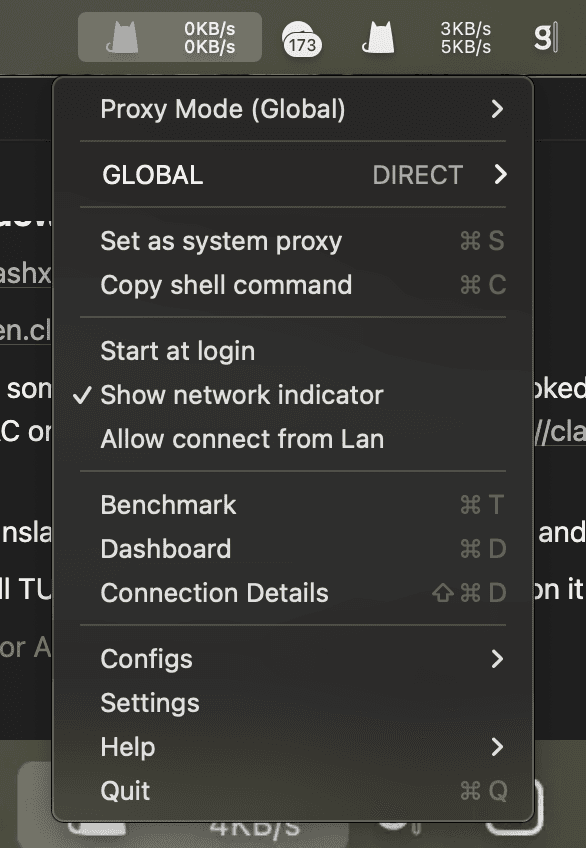
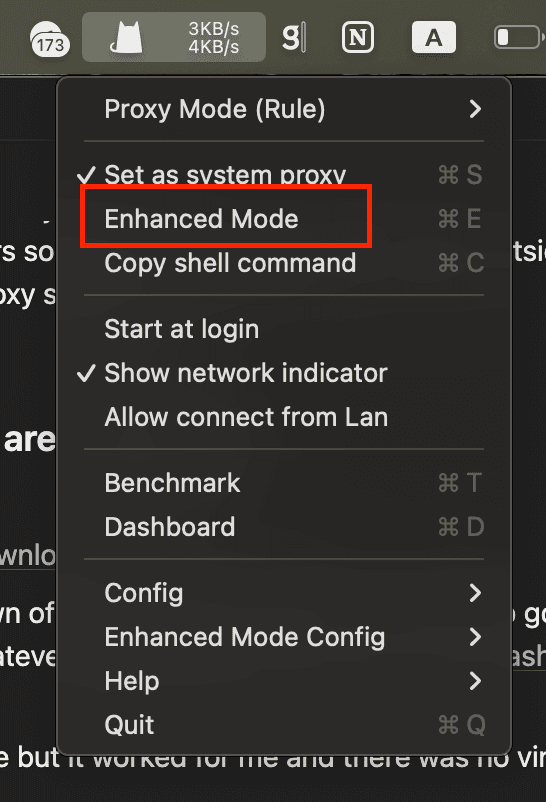
The side-by-side comparison shows the difference. Toggle Enhanced Mode on if you're having issues.
When Enhanced Mode is active, even stubborn apps like Cursor and Telegram can't bypass your tunnel.
Step 4: Set Cursor to HTTP/1.1
Final step: force Cursor to use simpler networking.
- Open Cursor → Settings → Cursor Settings → Network
- Set HTTP Compatibility Mode to HTTP/1.1
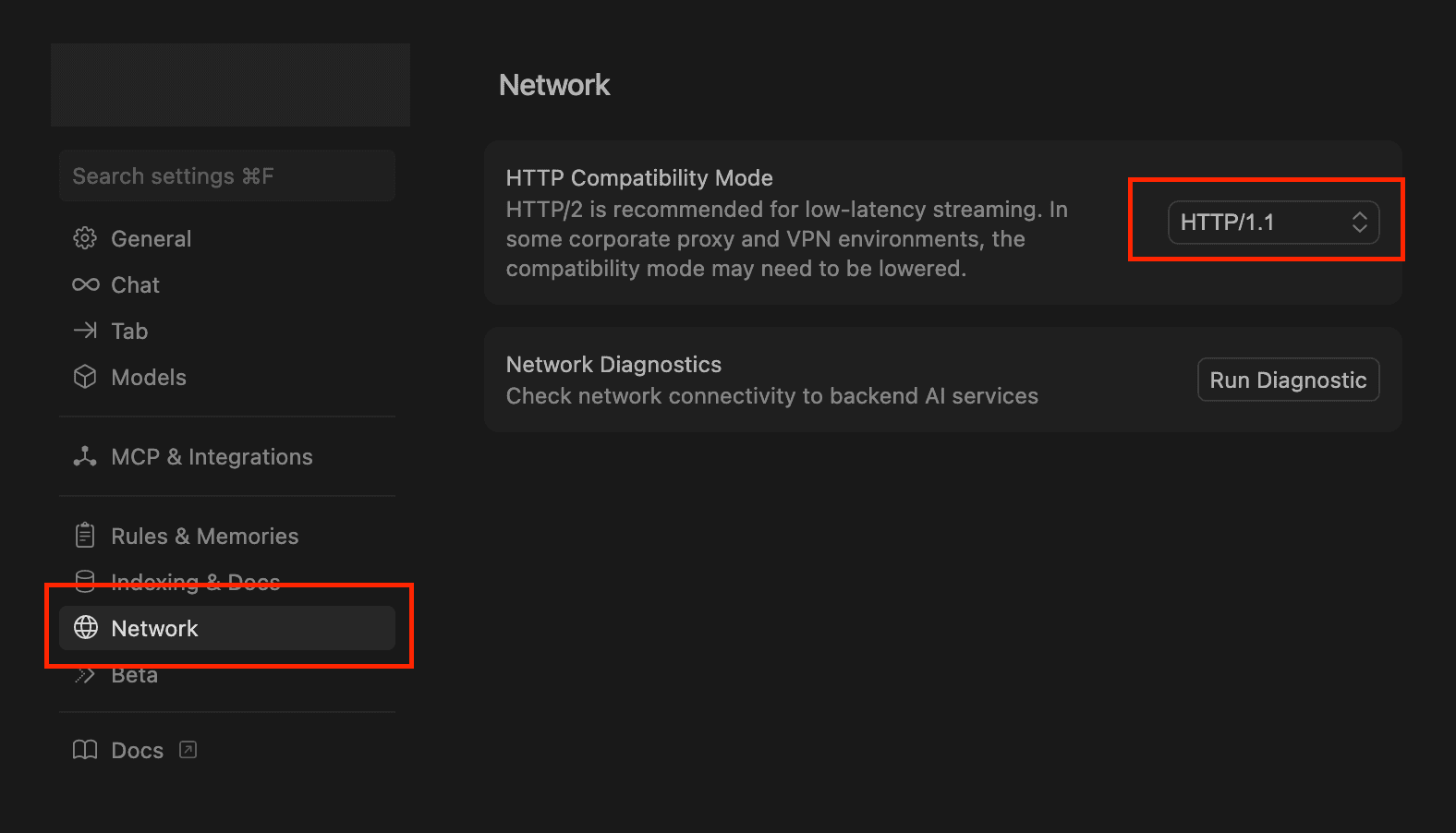
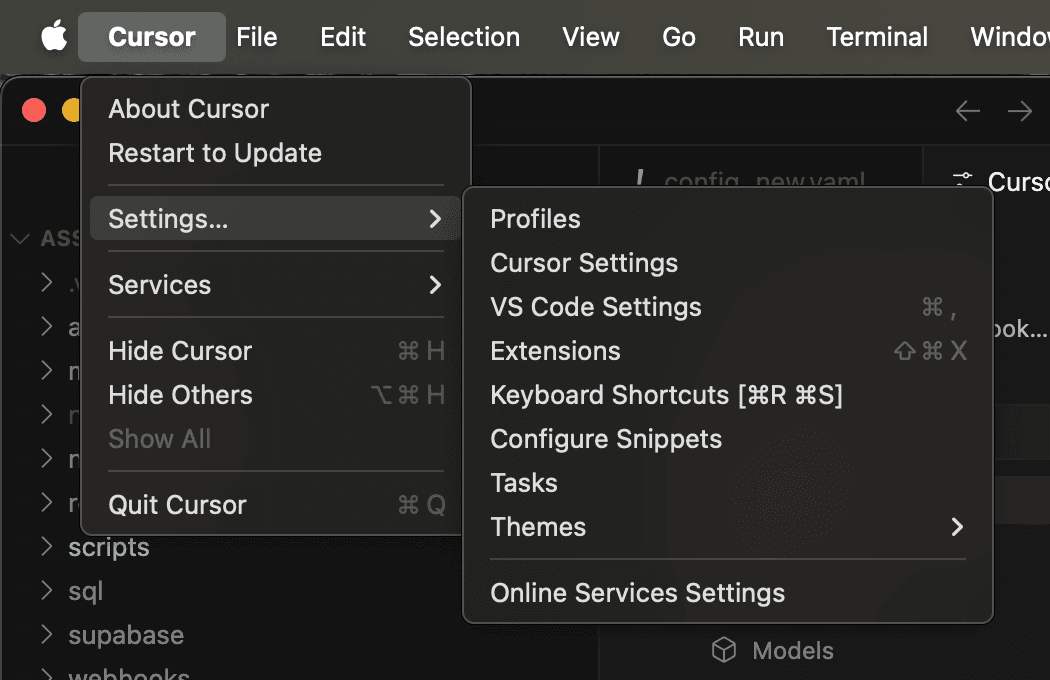
Why HTTP/1.1? Forces Cursor to use older, more predictable networking instead of HTTP/2 features that might bypass your tunnel.
Results
After completing these steps:
- Downloaded ClashX Pro
- Added domain rules + debug mode
- Enabled Enhanced Mode
- Set Cursor to HTTP/1.1
The region error disappeared. Claude worked instantly.
If you're traveling, working remotely, or just hit the region lottery, this setup will save you. Some apps are sneaky by design — they'll completely bypass standard proxy settings unless you force them into submission with TUN mode.
Quick Friendly Disclaimer:
Just a heads-up: everything I've shared here is based on my personal experiences and thoughts. I'm not affiliated with any of the companies or platforms mentioned. VPN usage should comply with local laws and service terms. Always do your own research and use these tools responsibly. Stay safe and happy coding!